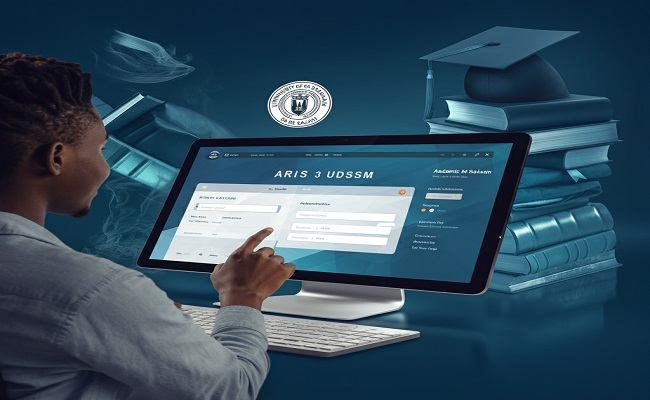
For students at the University of Dar es Salaam (UDSM), managing academic life digitally is made easier through the ARIS 3 UDSM platform. This powerful online student portal is an essential tool for handling everything from course registration to viewing grades, paying fees, and more. In this detailed guide, we will explore what ARIS 3 UDSM is, its importance, how to use it effectively, and tips to get the most out of the system.
What is ARIS 3 UDSM?
ARIS 3 UDSM stands for Academic Registration Information System version 3, developed by the University of Dar es Salaam to streamline and digitize academic and administrative processes. It is the third version of the ARIS platform, offering improved functionality, faster performance, and a more user-friendly interface. This system is accessible to students, staff, and administrators.
The ARIS 3 UDSM portal enables students to manage various academic tasks online, eliminating the need for frequent in-person visits to administrative offices.
Key Features of ARIS 3 UDSM
Here’s an overview of the most useful features available in ARIS 3 UDSM:
1. Course Registration
Students can register for courses each semester, view available course offerings, and track their registration history through the portal.
2. Fee Payment and Financial Records
The system allows for viewing tuition fees, payment history, and downloading invoices. It also supports integration with mobile money services and banks for easy fee payment.
3. Examination Results
ARIS 3 UDSM enables students to access examination results as soon as they are published. Historical academic records and GPA calculations are also available.
4. Timetables
Students can check class schedules and examination timetables, ensuring better time management and preparation.
5. Academic Progress Monitoring
Students can track their academic progress, monitor course completion, and understand their standing toward graduation.
6. Personal Information Management
ARIS 3 UDSM allows users to update personal information, such as contact details, and ensures that all communications from UDSM are received promptly.
How to Access ARIS 3 UDSM
Accessing ARIS 3 UDSM is simple. Follow these steps to log in and begin using the platform:
Step-by-Step Login Guide
-
Visit the ARIS 3 UDSM Official Website:
Navigate to the official URL for ARIS 3 UDSM. You can usually find this through the UDSM official website or directly by searching “ARIS 3 UDSM login” on Google. -
Enter Your Login Credentials:
-
Username: Typically your registration number or student ID.
-
Password: Set during your initial registration or provided by UDSM ICT services.
-
-
Dashboard Access:
After logging in, you’ll see your personalized dashboard with access to all relevant features.
Troubleshooting Login Issues
If you forget your password, use the “Forgot Password” option to reset it. Make sure your email address is updated for password recovery. For persistent issues, contact the ICT support team at UDSM.
Benefits of Using ARIS 3 UDSM
Utilizing ARIS 3 UDSM brings several advantages to students and staff:
-
Efficiency: Complete tasks quickly without the need to visit administrative offices.
-
Transparency: Access real-time data on academic records and financial transactions.
-
Convenience: Available 24/7, allowing students to manage tasks at their own pace.
-
Accuracy: Reduces errors commonly found in manual processes.
Frequently Asked Questions (FAQs)
1. Is ARIS 3 UDSM mobile-friendly?
Yes, ARIS 3 UDSM can be accessed on mobile devices through any browser. A dedicated mobile app may be introduced in the future.
2. Can I pay my fees directly through ARIS 3 UDSM?
Yes, the platform supports online payments through mobile money services like M-Pesa, Tigo Pesa, and Airtel Money, as well as through partnered banks.
3. What should I do if I find incorrect information in my academic records?
You should report the discrepancy to your department’s academic officer immediately. ARIS 3 UDSM allows students to initiate such requests directly through the portal.
4. Is ARIS 3 UDSM only for undergraduate students?
No, ARIS 3 UDSM serves undergraduate, postgraduate, and doctoral students at UDSM.
Tips for Efficient Use of ARIS 3 UDSM
To maximize your experience with ARIS 3 UDSM, consider these practical tips:
-
Log in regularly to stay updated on new notices, deadlines, and results.
-
Enable email notifications for important updates.
-
Use strong passwords and update them periodically for security.
-
Bookmark the portal to access it easily.
-
Keep a personal record of transactions and registrations for cross-reference.
Future Developments for ARIS 3 UDSM
The University of Dar es Salaam continuously updates its systems to enhance student experience. Future plans for ARIS 3 UDSM may include:
-
Integration with e-learning platforms like Moodle.
-
Introduction of mobile applications.
-
Advanced analytics for academic advising.
-
Enhanced communication tools for student-faculty interaction.
Conclusion
ARIS 3 UDSM is a game-changer for students and staff at the University of Dar es Salaam. Its digital services save time, enhance transparency, and support academic success. Whether you’re registering for courses, checking grades, or paying fees, ARIS 3 UDSM simplifies the process. Every student should familiarize themselves with the system to take full advantage of its benefits.
Stay informed, stay proactive, and make the most out of your academic journey with ARIS 3 UDSM.
Pro Tip: Bookmark this guide and share it with fellow students who may be new to ARIS 3 UDSM. Mastering the system early can save you time and reduce stress throughout your academic career.